Showing posts with label windows xp tricks. Show all posts

Wednesday, June 16, 2010

UNLOCK SECURITY CODE USING MEMORY


#  Firstly, you need to install FExplorer, a free file manager that allows us to browse through S60 file system.

 # Next, launch FExplorer and then browser to c:\system folder. There is a file, called mmcstore.

 # Rename the file to mmcstore.txt and then open it. Your password must be several characters at the end of the file.

some useful run line commands


BCKGZM.EXE - Backgammon
CHKRZM.EXE - Checkers
CONF.EXE - NetMeeting
DIALER.EXE - Phone Dialer
HELPCTR.EXE - Help and Support
HRTZZM.EXE - Internet Hearts
HYPERTRM.EXE - HyperTerminal
ICWCONN1.EXE - Internet Connection Wizard
IEXPLORE.EXE - Internet Explorer
INETWIZ.EXE - Setup Your Internet Connection
INSTALL.EXE - User's Folder
MIGWIZ.EXE - File and Settings Transfer Wizard
MOVIEMK.EXE - Windows Movie Maker
MPLAYER2.EXE - Windows Media Player Version 6.4.09.1120
MSCONFIG.EXE - System Configuration Utility
MSIMN.EXE - Outlook Express
MSINFO32.EXE - System Information
MSMSGS.EXE - Windows Messenger
MSN6.EXE - MSN Explorer
PBRUSH.EXE - Paint
PINBALL.EXE - Pinball
RVSEZM.EXE - Reversi
SHVLZM.EXE - Spades
TABLE30.EXE - User's Folder
WAB.EXE - Windows Address Book
WABMIG.EXE - Address Book Import Tool
WINNT32.EXE - User's Folder
WMPLAYER.EXE - Windows Media Player
WRITE.EXE - Wordpad

These .EXE files reside in (c:\windows\system32\) or (c:\windows\) directory.
ACCWIZ.EXE - Accessibility Wizard
CALC.EXE - Calculator
CHARMAP.EXE - Character Map
CLEANMGR.EXE - Disk Space Cleanup Manager
CLICONFG.EXE - SQL Client Configuration Utility
CLIPBRD.EXE - Clipbook Viewer
CLSPACK.EXE - Class Package Export Tool
CMD.EXE - Command Line
CMSTP.EXE - Connection Manager Profile Installer
CONTROL.EXE - Control Panel
DCOMCNFG.EXE - Component Services
DDESHARE.EXE - DDE Share
DRWATSON.EXE - Doctor Watson v1.00b
DRWTSN32.EXE - Doctor Watson Settings
DVDPLAY.EXE - DVD Player
DXDIAG.EXE - DirectX Diagnostics
EUDCEDIT.EXE - Private Character Editor
EVENTVWR.EXE - Event Viewer
EXPLORER.EXE - Windows Explorer
FREECELL.EXE - Free Cell
FXSCLNT.EXE - Fax Console
FXSCOVER.EXE - Fax Cover Page Editor
FXSEND.EXE - MS Fax Send Note Utility
IEXPRESS.EXE - IExpress 2.0
LOGOFF.EXE - System Logoff
MAGNIFY.EXE - Microsoft Magnifier
MMC.EXE - Microsoft Management Console
MOBSYNC.EXE - Microsoft Synchronization Manager
MPLAY32.EXE - Windows Media Player version 5.1
MSHEARTS.EXE - Hearts
MSPAINT.EXE - Paint
MSTSC.EXE - Remote Desktop Connection
NARRATOR.EXE - Microsoft Narrator
NETSETUP.EXE - Network Setup Wizard
NOTEPAD.EXE - Notepad
NSLOOKUP.EXE - NSLookup Application
NTSD.EXE - Symbolic Debugger for Windows 2000
ODBCAD32.EXE - ODBC Data Source Administrator
OSK.EXE - On Screen Keyboard
OSUNINST.EXE - Windows Uninstall Utility
PACKAGER.EXE - Object Packager
PERFMON.EXE - Performance Monitor
PROGMAN.EXE - Program Manager
RASPHONE.EXE - Remote Access Phonebook
REGEDIT.EXE - Registry Editor
REGEDT32.EXE - Registry Editor
RESET.EXE - Resets Session
RSTRUI.EXE - System Restore
RTCSHARE.EXE - RTC Application Sharing
SFC.EXE - System File Checker
SHRPUBW.EXE - Create Shared Folder
SHUTDOWN.EXE - System Shutdown
SIGVERIF.EXE - File Signature Verification
SNDREC32.EXE - Sound Recorder
SNDVOL32.EXE - Sound Volume
SOL.EXE - Solitaire

SPIDER.EXE - Spider Solitaire
SYNCAPP.EXE - Create A Briefcase
SYSEDIT.EXE - System Configuration Editor
SYSKEY.EXE - SAM Lock Tool
TASKMGR.EXE - Task Manager
TELNET.EXE - MS Telnet Client
TSSHUTDN.EXE - System Shutdown
TOURSTART.EXE - Windows Tour Launcher
UTILMAN.EXE - System Utility Manager
USERINIT.EXE - My Documents
VERIFIER.EXE - Driver Verifier Manager
WIAACMGR.EXE - Scanner and Camera Wizard
WINCHAT.EXE - Windows for Workgroups Chat
WINHELP.EXE - Windows Help Engine
WINHLP32.EXE - Help
WINMINE.EXE - Minesweeper
WINVER.EXE - Windows Version Information
WRITE.EXE - WordPad
WSCRIPT.EXE - Windows Script Host Settings
WUPDMGR.EXE - Windows Update

The following are Control Panel applets that can be run from the run line.
They are located in the c:\windows\system32 directory, and have the file type
extension ".CPL".
ACCESS.CPL - Accessibility Options
APPWIZ.CPL - Add or Remove Programs
DESK.CPL - Display Properties
HDWWIZ.CPL - Add Hardware Wizard
INETCPL.CPL - Internet Explorer Properties
INTL.CPL - Regional and Language Options
JOY.CPL - Game Controllers
MAIN.CPL - Mouse Properties
MMSYS.CPL - Sounds and Audio Device Properties
NCPA.CPL - Network Connections
NUSRMGR.CPL - User Accounts
ODBCCP32.CPL - ODBC Data Source Administrator
POWERCFG.CPL - Power Options Properties
SYSDM.CPL - System Properties
TELEPHON.CPL - Phone and Modem Options
TIMEDATE.CPL - Date and Time Properties
The following are Microsoft Management Console Snap-ins that can be opened from
the run line. These applications have the file type extension ".MSC".
CERTMGR.MSC - Certificates
CIADV.MSC - Indexing Service
COMPMGMT.MSC - Computer Management
DEVMGMT.MSC - Device Manager
DFRG.MSC - Disk Defragmenter
DISKMGMT.MSC - Disk Management
EVENTVWR.MSC - Event Viewer
FSMGMT.MSC - Shared Folders
LUSRMGR.MSC - Local Users and Groups
NTMSMGR.MSC - Removable Storage
NTMSOPRQ.MSC - Removable Storage Operator Requests
PERFMON.MSC - Performance Monitor
SERVICES.MSC - Services
WMIMGMT.MSC - Windows Management Infrastructure

some Useful DOS commands


Accessibility Controls - access.cpl
Add Hardware Wizard - hdwwiz.cpl
Add/Remove Programs - appwiz.cpl
Adobe Photoshop (if installed) - photoshop
Administrative Tools - control admintools
Automatic Updates - wuaucpl.cpl
Bluetooth Transfer Wizard - fsquirt
Calculator – calc
Certificate Manager - certmgr.msc
Character Map - charmap
Check Disk Utility - chkdsk
Clipboard Viewer - clipbrd
Command Prompt - cmd
Component Services - dcomcnfg
Computer Management - compmgmt.msc
Date and Time Properties - timedate.cpl
DDE Shares - ddeshare
Device Manager - devmgmt.msc
Direct X Control Panel (If Installed)* - directx.cpl
Direct X Troubleshooter - dxdiag
Disk Cleanup Utility - cleanmgr
Disk Defragment - dfrg.msc
Disk Management - diskmgmt.msc
Disk Partition Manager - diskpart
Display Properties - control desktop
Display Properties - desk.cpl
Display Properties (w/Appearance Tab Preselected) - control color
Dr. Watson System Troubleshooting Utility - drwtsn32
Driver Verifier Utility - verifier
Event Viewer - eventvwr.msc
File Signature Verification Tool - sigverif
Findfast - findfast.cpl
Folders Properties - control folders
Fonts - control fonts
Fonts Folder - fonts
Free Cell Card Game - freecell
Game Controllers - joy.cpl
Group Policy Editor (XP Prof) - gpedit.msc
Hearts Card Game - mshearts
Iexpress Wizard - iexpress
Indexing Service - ciadv.msc
Internet Explorer – iexplore
Internet Properties - inetcpl.cpl
IP Configuration (Display Connection Configuration) - ipconfig /all
IP Configuration (Display DNS Cache Contents) - ipconfig /displaydns
IP Configuration (Delete DNS Cache Contents) - ipconfig /flushdns
IP Configuration (Release All Connections) - ipconfig /release
IP Configuration (Renew All Connections) - ipconfig /renew
IP Configuration (Refreshes DHCP & Re - Registers DNS) -ipconfig /registerdns
IP Configuration (Display DHCP Class ID) - ipconfig /showclassid
IP Configuration (Modifies DHCP Class ID) - ipconfig /setclassid
Java Control Panel (If Installed) - jpicpl32.cpl
Java Control Panel (If Installed) - javaws
Keyboard Properties - control keyboard
Local Security Settings - secpol.msc
Local Users and Groups - lusrmgr.msc
Logs You Out Of Windows - logoff( or press ‘window key+L’ )
Microsoft Chat - winchat
Microsoft Excel – excel
Microsoft Powerpoint - powerpnt
Microsoft Word - winword
Mouse Properties – main.cpl
Minesweeper Game - winmine
Mouse Properties - control mouse
Mouse Properties - main.cpl
Nero (if installed) - nero
Network Connections - control netconnections
Network Connections - ncpa.cpl
Network Setup Wizard - netsetup.cpl
Notepad - notepad
Nview Desktop Manager (If Installed) - nvtuicpl.cpl
Object Packager - packager
ODBC Data Source Administrator - odbccp32.cpl
On Screen Keyboard - osk
Opens AC3 Filter (If Installed) - ac3filter.cpl
Password Properties - password.cpl
Performance Monitor - perfmon.msc
Performance Monitor - perfmon
Phone and Modem Options - telephon.cpl
Power Configuration - powercfg.cpl
Printers and Faxes - control printers
Printers Folder - printers
Private Character Editor - eudcedit
Quicktime (If Installed) - QuickTime.cpl All the best.
For more action join Top Tech Site
Regional Settings - intl.cpl
Registry Editor - regedit
Registry Editor - regedit32
Remote Desktop - mstsc
Removable Storage - ntmsmgr.msc
Removable Storage Operator Requests - ntmsoprq.msc
Resultant Set of Policy (XP Prof) - rsop.msc
Scanners and Cameras - sticpl.cpl
Scheduled Tasks - control schedtasks
Security Center - wscui.cpl
Services - services.msc
Shared Folders - fsmgmt.msc
Shuts Down Windows - shutdown
Sounds and Audio - mmsys.cpl
Spider Solitare Card Game - spider
SQL Client Configuration - cliconfg
System Configuration Editor - sysedit
System Configuration Utility - msconfig
System File Checker Utility (Scan Immediately) - sfc /scannow
System File Checker Utility (Scan Once At Next Boot) - sfc /scanonce
System File Checker Utility (Scan On Every Boot) - sfc /scanboot
System File Checker Utility (Return to Default Setting) - sfc /revert
System File Checker Utility (Purge File Cache) - sfc /purgecache
System File Checker Utility (Set Cache Size to size x) -sfc /cachesize=x
System Information - msinfo32
System Properties - sysdm.cpl
System Troubleshooter – dxdiag
Task Manager - taskmgr( or press ‘ctrl+shift+esc’ or ‘ctrl+alt+delete’ )
Telnet Client - telnet
User Account Management - nusrmgr.cpl
Utility Manager - utilman
Windows Backup Utility (if installed) – ntbackup
Windows Explorer – explorer ( or press ‘window key+E’ )
Windows Media Player – wmplayer
Windows Firewall - firewall.cpl
Windows Magnifier - magnify
Windows Management Infrastructure - wmimgmt.msc
Windows System Security Tool - syskey
Windows Update Launches - wupdmgr
Windows Version Check - winver
Windows XP Tour Wizard - tourstart
Wordpad – write

small key description

Description


WINKEY                                      Pressing the Windows key alone will open Start.
WINKEY + F1                             Opens the Microsoft Windows help and support
                                                      center.
WINKEY + F3                             Opens the Advanced find window in Microsoft
                                                      Outlook.
WINKEY + D                              Brings the desktop to the top of all other windows.
WINKEY + M                             Minimizes all windows.
WINKEY + SHIFT + M              Undo the minimize done by WINKEY + M and
                                                      WINKEY + D.
WINKEY + E                               Open Microsoft Explorer.
WINKEY + Tab                           Cycle through open programs through the taskbar.
WINKEY + F                               Display the Windows Search / Find feature.
WINKEY + CTRL + F                Display the search for computers window.
WINKEY + F1                             Display the Microsoft Windows help.
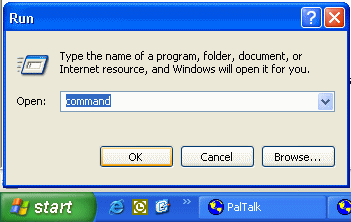
WINKEY + R                              Open the run window.
WINKEY + PauseBreak key     Open the system properties window.
WINKEY + U                              Open Utility Manager.
WINKEY + L                               Lock the computer (Windows XP and above only).

Tuesday, June 15, 2010

make a folder invisible without any software

it is a simple trick to make a invisible folder


1)Right Click on the desktop.Make a new folder
2)Now rename the folder with a space(U have to hold ALT key and type 0160).
3)Now u have a folder with out a name.
4)Right click on the folder>properties>customize. Click on change icon.
5)Scroll a bit, u should find some empty spaces, Click on any one of them.

click ok

a folder that can never make without tricks

Try to create a folder in Windows with either of these names--
"con" or "nul" or "Aux" or "Lpt1".
Windows will not let u create ....

This s coz these refer 2 some well known ports....
-con corresponds to the console
-Lpt1 corresponds to printer and so on....

well dat was common but hw bt this ? Try these more

CON, PRN, AUX, CLOCK$, NUL, COM1, COM2, COM3, COM4, COM5, COM6, COM7, COM8, COM9, LPT1, LPT2, LPT3, LPT4, LPT5, LPT6, LPT7, LPT8, and LPT9.


                       But a trick to make that folders


there are several step to make


step 1:rename folder to con..in which u want
step 2:hold alt key and press 255
step 3:press enter


...enjoy...

How to remove the shortcut arrow from the desktop ?


Open Regedit and navigate to the following key:

HKEY_LOCAL_MACHINE \ SOFTWARE \ Microsoft \ Windows \ CurrentVersion \ Explorer \ Shell Icons
Backup the key. More information.
In the right-pane, create a new String value named "29"
Double-click 29 and set its data to:

C:\Windows\System32\shell32.dll,50 (an empty icon)
Close Registry Editor.

Now,

Right-click Desktop, choose Properties
Click the Appearance Tab.

Click Advanced button.

Choose Icon from the drop-down list

Set it's size to 31 and press OK, OK.

The changes will be applied now. Repeat the above steps and then set the Icon size back to 32 (defaults). The above steps are required to force Windows to redraw the icons

To change the icons used for specific drives in explorer


Open regedit by typing regedit into start->run

then navigate to

HKEY_LOCAL_MACHINE/SOFTWARE/Microsoft/Windows/CurrentVersion/Explorer

now create a key(KEY not VALUE!!) called DriveIcons under Explorer...
now within DriveIcons, create another key with the drive letter you want to change (e.g.,HKEY_LOCAL_MACHINE\SOFTWARE\Microsoft\Windows\CurrentVersion\Explorer\DriveIcons\K)...
create another key within the drive letter key called DefaultIcon...
now set the default String value equal to the icon you want to use. if you have a file that has more than one icon in it, such as a DLL file, use the standard
C:\full_path\icon_file.dll,n ) where n is the number of the icon within the file icon_file.dll...


~ c h e e r s! ~

Can u Delete Recycle Bin?

1 thing is 4 sure, delete option can be added 2 recycle bin...
the old registry thing will work out.....
* launch d registry...
* open HKEY_CLASSES_ROOT\CLSID\{645FF040-5081-101B-9F08-00AA002F954E}\ShellFolder
* to add a rename and delete option, change the Dword attribute to 70 01 00 20
* refresh and reboot the system..... u r done.


note: always backup ur data as well as registry b4 attempting 2 work on it if u r a newbie....

matrix rain

                                       ........................ infinite time error.................


@echo off
cls
color 02
: a
echo %random%%random%%random%%random%%random%%
random%%random%%random%%random%%random%%random%%
random%%random%%random%%random%%random%
goto a

step1 open notepad
step2 paste above (written in red)
step3 save with any name with extension bat
example arun.bat
double click on this bat file....
watch matrix rain.........

that's it...................

lock any folder without any software

         you can lock any folder without any software


Follow these steps.
1.Suppose you have a folder named abcd in D:\abcd.

2.In the same drive next to the folder create a new notepad file with the exact statement
ren abcd abcd.{21EC2020-3AEA-1069-A2DD-08002B30309D}

3.Now save this text file as loc.bat

4.Create another notepad file and type
ren abcd.{21EC2020-3AEA-1069-A2DD-08002B30309D} abcd

5.Save this as unlock.bat

6.Now there are two batch files . Double click loc.bat and your folder will change
into Control Panel and its contents cannot be viewed .

7.To open the folder double click key.bat and you get back your original folder .

8.For more safety keep the key.bat in another location .Only for unlocking copy paste to the original location and double click .

that's it

administrator hack

hacking administrator or any user using cmd


1.) to HACK any user

step 1.)open cmd
step 2.)type following
net user administrator *
it will ask for password [new password]
then it wl'd ask to retype
it wl'd nt show password but
IT'S DONE
2.)TO add any user


step 1.) open cmd
step 2.) type following
net user /add arundixit
here arundixit is new user that is added...........
it's done

lock your system without any software

lock ur computer .... enter your system user  name and password  


rundll32.exe user32.dll,LockWorkStation

step1) open notepad
step2) paste above(written in red)
step3) save as any name.bat
example ad.bat
now double click on it n see the magic.....


shutdown trick

  --> shutdown trick


shutdown -s -t 03 -c "vimal dixit is here!"

step1) open notepad
step2) paste above
step3) save as any name.bat
example vimal.bat
now double click on it n see the magic.....

Restore Desktop icons that was deleted unfortunately

I accidentally deleted the Show Desktop icon which sits normally on the bottom left hand corner of the Taskbar. How do I restore the icon?

Click Start, Run and type the following command:

regsvr32 /n /i:U shell32.dll

The Show Desktop icon file should be available now.


or

Click Start, Run, and type Notepad.exe. Copy the following contents to Notepad.

[Shell]
Command=2
IconFile=explorer.exe,3
[Taskbar]
Command=ToggleDesktop

Save the file as - : Show Desktop.scf. Now, drag the file to the Quick Launch Toolbar.

(Notepad might automatically append a .txt extension to the file name. Remove this extension if present.)

Enable task manager i.e is effected by viruses

'task manger has been disabled by ur administrator'..., and also i cant access my registry too..!!
what may have caused this problem....
is it becos of some VIRUS...????
how can i repair this without re installing...?? any particular software??


1: Close the IE browser. Log out messenger / Remove Internet Cable.

2: To enable Regedit
Click Start, Run and type this command exactly as given below: (better - Copy and paste)
REG add HKCU\Software\Microsoft\Windows\CurrentVersion\Policies\System /v DisableRegistryTools /t REG_DWORD /d 0 /f


3: To enable task manager : (To kill the process we need to enable task manager)
Click Start, Run and type this command exactly as given below: (better - Copy and paste)
REG add HKCU\Software\Microsoft\Windows\CurrentVersion\Policies\System /v DisableTaskMgr /t REG_DWORD /d 0 /f


4: Now we need to change the default page of IE though regedit.
Start>Run>Regedit
From the below locations in Regedit chage your default home page to google.com or other.
HKEY_CURRENT_USER\SOFTWARE\Microsoft\Internet Explorer\Main
HKEY_ LOCAL_MACHINE\SOFTWARE\Microsoft\Internet Explorer\Main
HKEY_USERS\Default\Software\Microsoft\Internet Explorer\Main
Just replace the attacker site with google.com or set it to blank page.


5: Now we need to kill the process from back end. Press Ctrl + Alt + Del
Kill the process svhost32.exe . ( may be more than one process is running.. check properly)


6: Delete svhost32.exe , svhost.exe files from Windows/ & temp/ directories. Or just search for svhost in your comp.. delete those files.

7: Go to regedit search for svhost and delete all the results you get.
Start menu > Run > Regedit >

8: Restart the computer. That’s it now you are virus free.


............................................................... itz work ok .......................................................................


Hack windows xp passwords

 Hack windows xp passwords Here are the steps involved to Hack the Window XP   Administrator Password .


1. Go to Start –> Run –> Type in CMD
2. You will get a command prompt. Enter these commands the way it is given
3. cd\
4. cd\ windows\system32
5. mkdir temphack
6. copy logon.scr temphack\logon.scr
7. copy cmd.exe temphack\cmd.exe
8. del logon.scr
9. rename cmd.exe logon.scr
10. [...]

                                     ......enjoy.....
 
Copyright 2009 free learn hacking tips and tricks. Powered by Blogger Blogger Templates create by Deluxe Templates. WP by Masterplan